
ADVERTISEMENT
Category
ProductivityVersion
1.5.7
Developer
Andrea Luciano
Size
18.8
Package Name
com.luciosoft.sendtokindle
ADVERTISEMENT
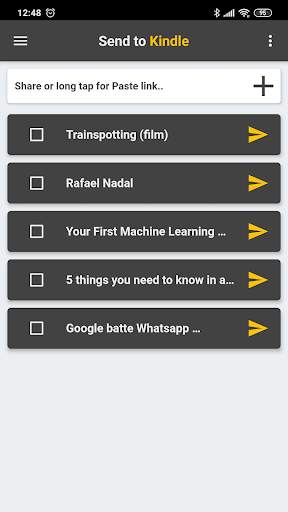
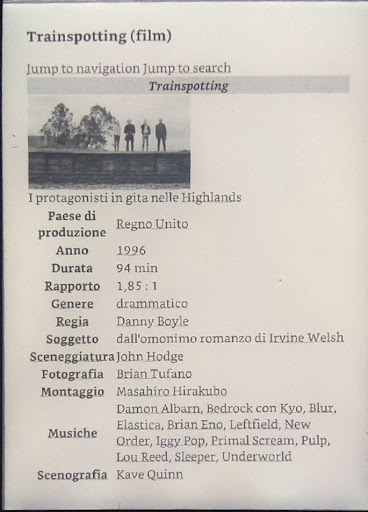
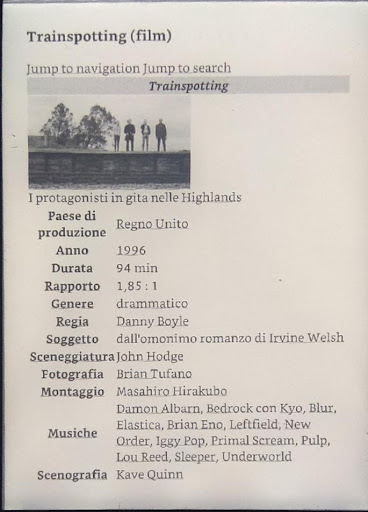
The Send To Kindle app is the perfect tool for all Kindle device owners who love to read online articles. With this app, you can send any web page directly to your Kindle device with just a few clicks. It is a simple and intuitive app that ensures only high-quality text and images are exported. The app automatically deletes any ads and superfluous content that does not relate to the article.
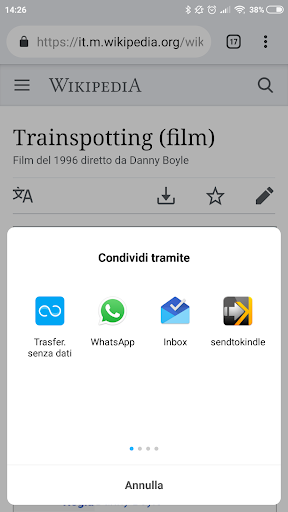
Using the Send To Kindle app is straightforward. All you need to do is select the web page you want to send from your browser and click on the share button. Among the apps, the 'send to kindle' app will be available, select it, and the page will be automatically downloaded and converted into Kindle format. Once done, you can send it through your email, which you have already set up in the app menu. The email you use to send the links must be the same as the one registered on Amazon under the Kindle section ie. ([email protected]). The email's spelling needs to be exact to avoid any errors. Remember to add the email address you're using to your safe Amazon email list before sending the links.
The app supports many different file formats, including .MOBI, .AZW .DOC, .DOCX .RTF .TXT .JPEG, .JPG .PNG .GIF .BMP .PDF .EPUB and can handle a file size up to 25 MB. It gives you flexibility while choosing the files you want to send. Moreover, the app offers additional features like merging multiple articles into one, opening offline files, and sharing external files in PDF or EPUB format. Send To Kindle app also allows you to convert files from PDF, MOBI, and AZW to Kindle format (EPUB), which proves highly convenient for avid Kindle users.
The app comes equipped with multiple newly added features, making it better than ever. You can merge several articles into a single file, which makes reading easier, especially when you're on the move. You can go offline and read it whenever you want. The external file sharing feature makes it possible to share PDF and EPUB files with friends, family, or colleagues conveniently, which means they don't need to be directly connected to the internet. The file conversion feature enables you to convert files from PDF, MOBI, and AZW to Kindle format (EPUB).
Creating an app like Send To Kindle requires effort from many individuals. The app credit goes to Serena Romito for designing the logo, Lavinia Luciano, Serena Romito, Adam Kwarciak, Mert Kaya for the translation, and all friends and colleagues for test and support.
The Send To Kindle app is a reliable and simple app that adds value to your Kindle device. With its versatile features and newly added capabilities, this app is a must-have for avid readers, students, and professionals everywhere. With just a few clicks, you can enjoy the best reading experience on your Kindle device. Download Send To Kindle App today and stay connected to the articles that matter to you.





Puzzle

Puzzle

Communication

Social

Adventure

Social

Music

Shopping

Communication

Communication
Welcome to Apkparks - your go-to destination for downloading the latest and most popular Android apps. Our mission is to provide a safe, reliable, and user-friendly platform for Android users to discover and download the best apps.
At Apkparks, our top priority is to deliver top-notch content that is relevant to our users. Our team of experts carefully selects and reviews each app before it is available for download on our platform. We also regularly update our app library to ensure our users can access the latest versions of their favorite apps.
At Apkparks, we provide a wide range of high-quality apps that cater to all your needs. Our platform is continuously updated with the latest and hot apps, ensuring users can access the most up-to-date apps.
We prioritize providing a seamless and hassle-free app download experience. Our website is easy to navigate, and our download process is quick and secure.
Thank you for choosing Apkparks as your trusted source for Android apps. We hope you enjoy using our platform and welcome your feedback and suggestions.


