
ADVERTISEMENT
Category
Art & DesignVersion
1.3.5
Developer
Bikaba Apps
Size
4.2
Package Name
com.bikaba.pixelartbuilder4minecraft
ADVERTISEMENT
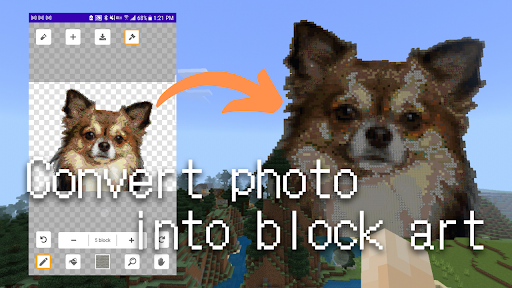
PIXEL ART MAKER FOR MINECRAFT (MICPA) is an amazing app that allows you to convert your photos and texts into block art on Minecraft PE (bedrock). This app is a must-have for all Minecraft lovers who want to build amazing block art with ease. With MICPA, you can take your creativity to the next level and build amazing block art in no time!
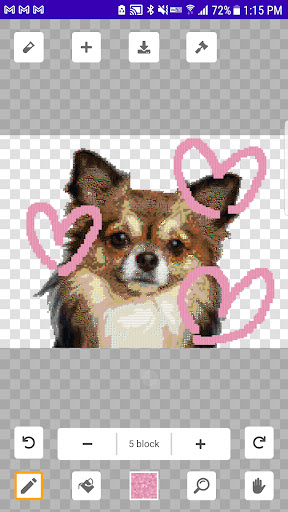
The app has a very user-friendly interface and is incredibly easy to use. To start, select a photo file from your device, set the options before the conversion, and then start the conversion to block art. You can then edit the block art if you need to and even save it as a mcpack (behavior pack). To build your pixel art, simply enable the behavior pack on MCPE and use the commands provided. The app-generated behavior pack will then build the block art for you.
When building your pixel art, it's important to note that the app-generated behavior pack builds the block art. So, while building your block art, it's important to stay in one place and not move around. If you want to build block art towards east, west, north or south, use the respective command: /function build.east, /function build.west, /function build.south, /function build.north.
The app is packed with amazing features that make it easy to convert your photos and texts into block art. You can select photos from your device, convert them to block art, convert your text to block letters, edit and modify the block art in the editor, convert the block art to a schematic file, and build the block art on MCPE. With these features, you can take your Minecraft creativity to the next level.
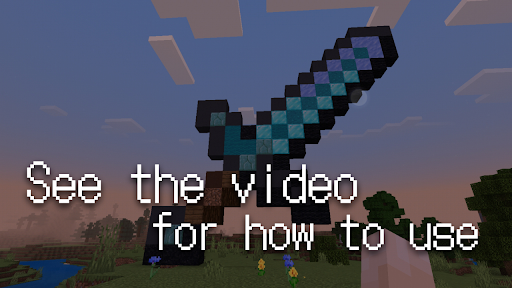
To help you get started with the app, there is a tutorial video that provides step-by-step instructions on how to use MICPA to convert photos into block art and auto-build them on Minecraft. Be sure to watch the video before getting started.
The app is free to use and the basic features are available without any charge. So, download PIXEL ART MAKER FOR MINECRAFT now and start building amazing block art on Minecraft PE. Whether you're a veteran Minecraft player or a new one, this app is a must-have for all who want to take their Minecraft creativity to the next level. Don't wait any longer! Download the app now and start building amazing block art on Minecraft!
ADVERTISEMENT
ADVERTISEMENT


Welcome to Apkparks - your go-to destination for downloading the latest and most popular Android apps. Our mission is to provide a safe, reliable, and user-friendly platform for Android users to discover and download the best apps.
At Apkparks, our top priority is to deliver top-notch content that is relevant to our users. Our team of experts carefully selects and reviews each app before it is available for download on our platform. We also regularly update our app library to ensure our users can access the latest versions of their favorite apps.
At Apkparks, we provide a wide range of high-quality apps that cater to all your needs. Our platform is continuously updated with the latest and hot apps, ensuring users can access the most up-to-date apps.
We prioritize providing a seamless and hassle-free app download experience. Our website is easy to navigate, and our download process is quick and secure.
Thank you for choosing Apkparks as your trusted source for Android apps. We hope you enjoy using our platform and welcome your feedback and suggestions.


